
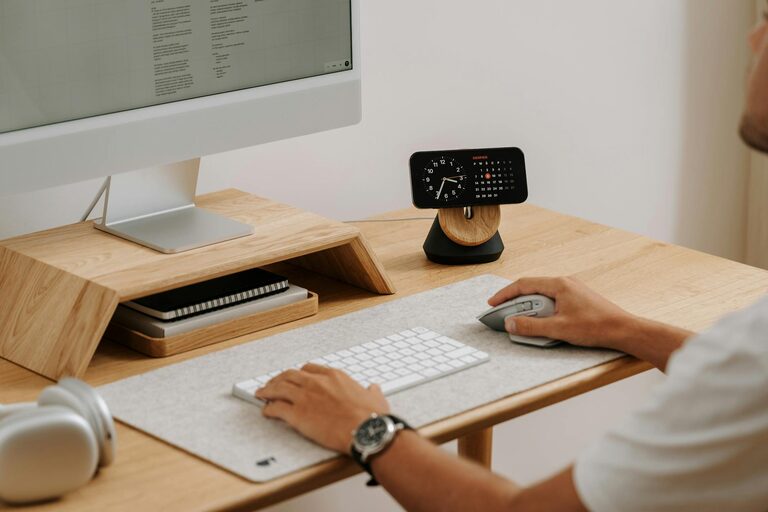
Creating an effective desk setup can make a significant difference in your productivity and overall well-being, whether you work from home or in an office. A well-arranged workstation not only helps you stay focused but also reduces discomfort and fatigue throughout the day. In this post, we’ll explore practical tips on how to organize and equip your desk for maximum comfort and concentration.
Why Your Desk Setup Matters
A cluttered or poorly organized workspace can lead to distractions, physical discomfort, and fatigue, all of which hinder your ability to work effectively. On the other hand, a well-designed desk setup encourages good posture, minimizes strain, and creates an environment conducive to focused, creative work.
Choosing the Right Desk and Chair
Desk Height and Size
Your desk should be the right height so that when you sit, your elbows are at about a 90-degree angle, resting comfortably on the surface. Standard desks are usually around 28-30 inches tall, but adjustable desks or sit-stand desks allow you to customize the height throughout the day.
Make sure your desk is large enough to accommodate your essentials without crowding. Having some free space helps keep your mind clear and organized.
Ergonomic Chair
A supportive chair is just as important as the desk. Look for one that offers good lumbar support and allows you to adjust the seat height, backrest angle, and armrests. Your feet should rest flat on the floor or on a footrest, and your knees should be roughly level with your hips.
Monitor Placement for Reduced Eye Strain
Your computer monitor should be placed directly in front of you, about an arm’s length away. The top of the screen should be at or slightly below eye level, which helps reduce neck strain. If you use multiple monitors, position them to minimize head movement.
Using a monitor stand or adjustable arm can make it easier to position your screen correctly.
Keyboard and Mouse Setup
Position your keyboard and mouse close enough to avoid stretching. They should be at roughly the same height as your elbows, allowing your wrists to remain in a neutral position. Consider using an ergonomic keyboard or mouse to further reduce strain.
A wrist rest can be helpful for support, but be careful not to rely on it too much, as your hands should generally float above it rather than rest heavily on it.
Lighting Your Workspace
Good lighting is key for comfort and focus. Ideally, use natural light near your desk, but avoid direct glare on your screen. If natural light is limited, opt for a desk lamp with adjustable brightness and color temperature.
Warm light helps create a relaxing atmosphere, while cooler light can increase alertness during work hours. Position your light source so it doesn’t cast shadows or reflect on your monitor.
Organizing Your Desk Essentials
Declutter Regularly
A clutter-free desk promotes a clear mind. Keep only frequently used items within reach and store extras in drawers or organizers.
Use Storage Solutions
Desk organizers, trays, and filing systems help keep papers, pens, and other supplies tidy. Vertical storage options make good use of limited desk space.
Personal Touches
Adding a few personal items like a plant, photo, or artwork can boost your mood. Just be mindful not to overcrowd your workspace.
Incorporating Movement and Breaks
Even with the perfect desk setup, staying in one position for extended periods can cause discomfort. Make a habit of taking regular breaks to stand, stretch, or walk around. Setting a timer or using software reminders can help you maintain this healthy routine.
Standing desks or desk converters also encourage movement by allowing you to switch between sitting and standing throughout the day.
Temperature and Air Quality
Comfort includes more than just furniture. Ensure your workspace is well-ventilated. If possible, keep the room at a comfortable temperature, generally between 68–72°F (20–22°C). Adding a small fan or air purifier can improve airflow and reduce fatigue.
Final Thoughts
Optimizing your desk setup for focus and comfort involves attention to ergonomics, organization, lighting, and personal preferences. Small changes can have a big impact on your daily comfort and productivity. Experiment with different arrangements and tools to find what works best for you, and don’t forget to move regularly!
By creating a workspace tailored to your needs, you’ll enjoy more comfortable hours and sharper focus, turning your desk into an inviting and productive environment.